EmbeddingGemma 2: an open, lightweight multimodal embedding model
deepmind.google·6d ago
TL;DR
Capturing Wi-Fi traffic on macOS is streamlined through built-in tools and the AirTool 2 application, making it essential for network engineers. This capability allows for efficient PCAP file generation for analysis.
✦ Why It Matters
Start using AirTool 2 on your Mac today to simplify Wi-Fi traffic analysis.
Key Takeaways
Full Summary
macOS provides robust tools for network engineers, particularly for capturing Wi-Fi traffic in PCAP (Packet Capture) format. Users can utilize the Terminal CLI or the 'Open Wireless Diagnostics' feature by holding the Option key while clicking the Wi-Fi icon.
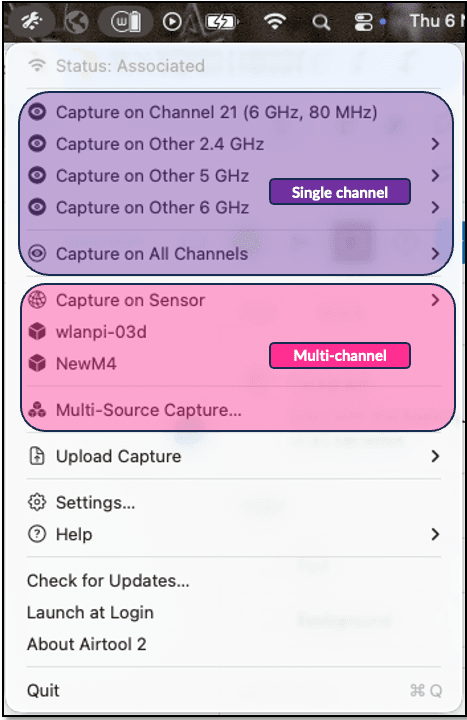
This opens a sniffer that automatically selects the current Wi-Fi channel and width. Alternatively, AirTool 2 simplifies this process with a user-friendly interface, allowing for easy selection of channel settings.
The application leverages the Mac's built-in Wi-Fi adapter, which means external USB adapters are not supported. For optimal performance, using an M2-series Mac is recommended, as it supports the latest Wi-Fi standards.
As of late 2025, no Macs support Wi-Fi 7, but the existing capabilities are still powerful for network analysis.
Related